Let buyers choose their delivery date in the cart
Slotly adds a delivery date and time slot picker to your cart page and cart drawer. You set the delivery days, preparation time, order cutoff and how many orders each slot takes. Checkout checks the date again, so Buy it now and express checkouts follow the same rules.
Deliver on the days you choose
Set your schedule once. The picker, checkout and your order list all follow it, on every Shopify plan.
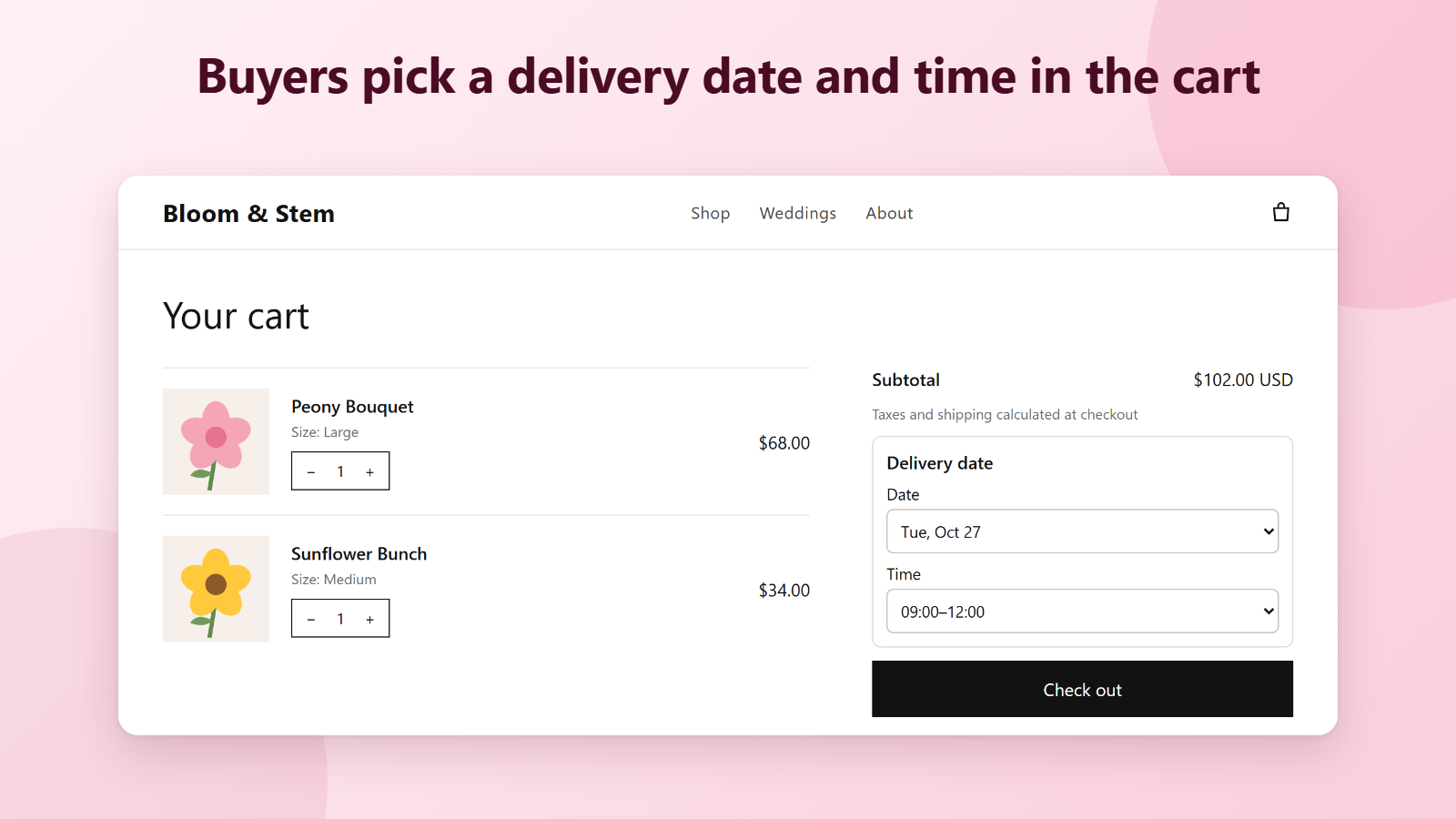
Picker in the cart and cart drawer
Buyers pick a date, and a time slot if you use them, right above the Check out button. Only dates you can deliver are listed.
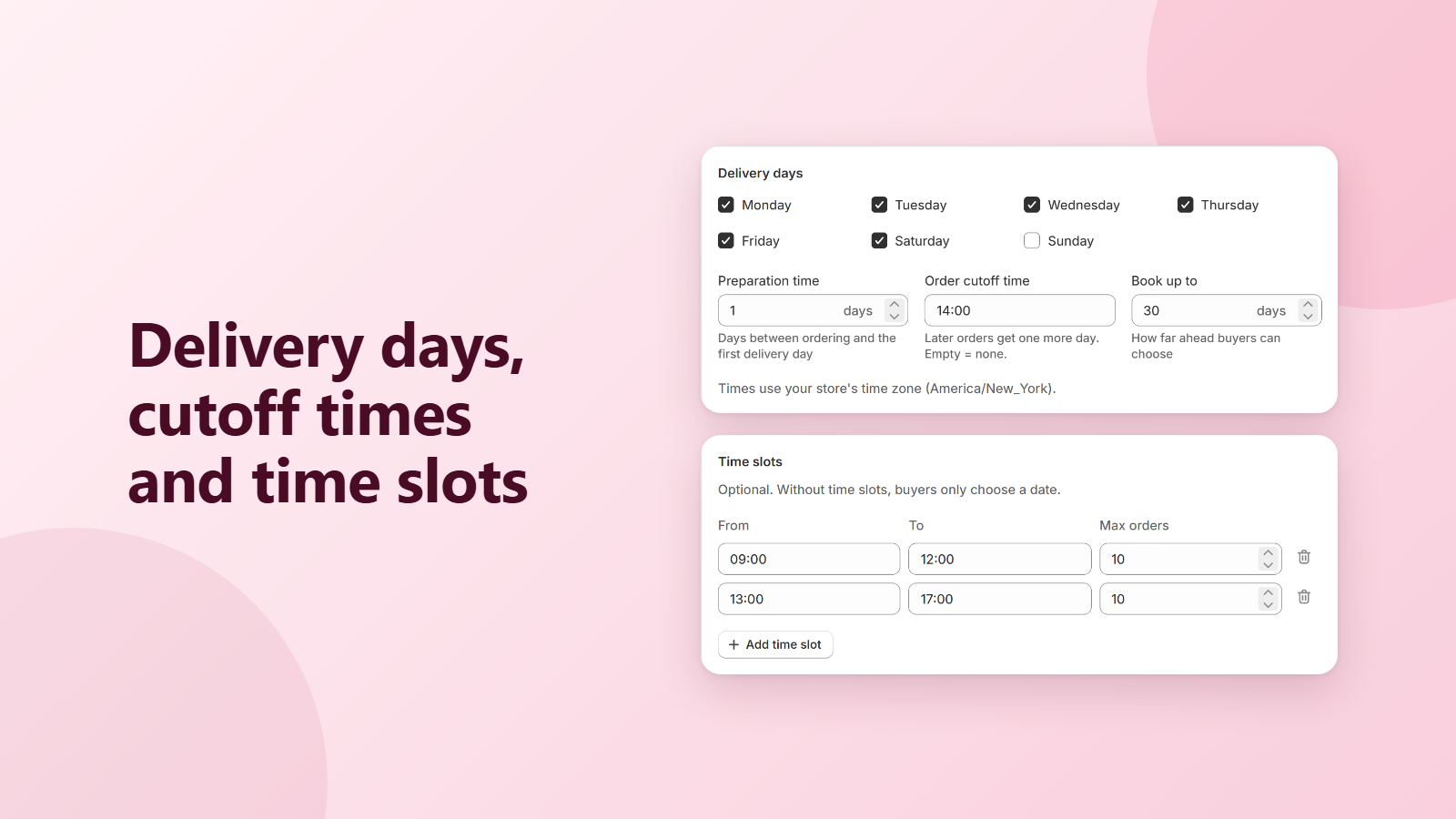
Delivery days, preparation time and cutoff
Choose the weekdays you deliver, how many days you need to prepare, the time after which orders move to the next day, and how far ahead buyers can book.
Time slots with order limits
Add slots like 09:00–12:00 and 13:00–17:00 with a maximum number of orders each, or one limit for the whole day. Full slots can't be picked.
Closed dates
Add holidays and days off. Buyers can't pick them, even on a day you normally deliver.
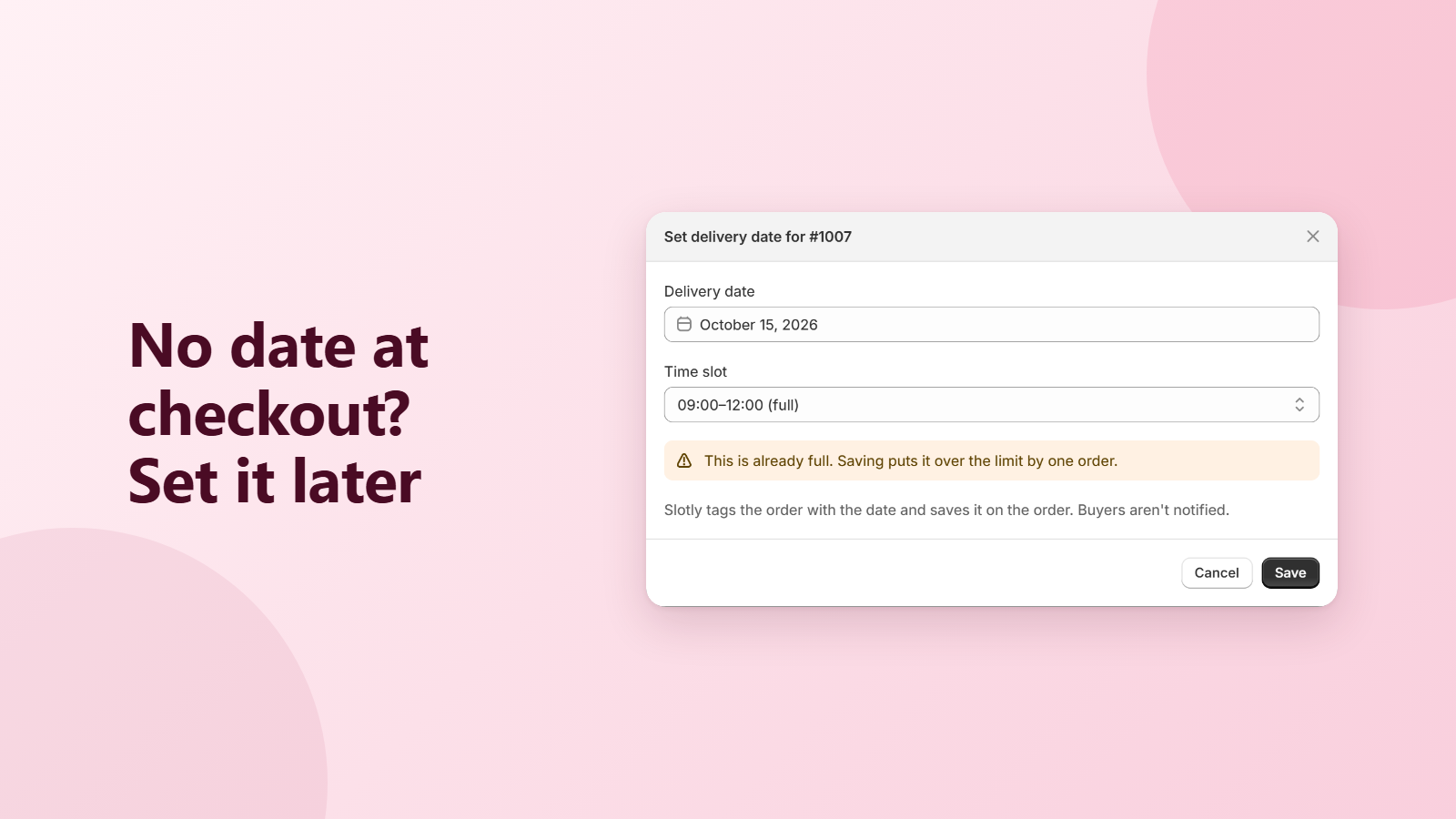
Required date, or set it later
Require a date before checkout, Buy it now and express checkouts included. Or take the order without one and set the date yourself from the Orders page.
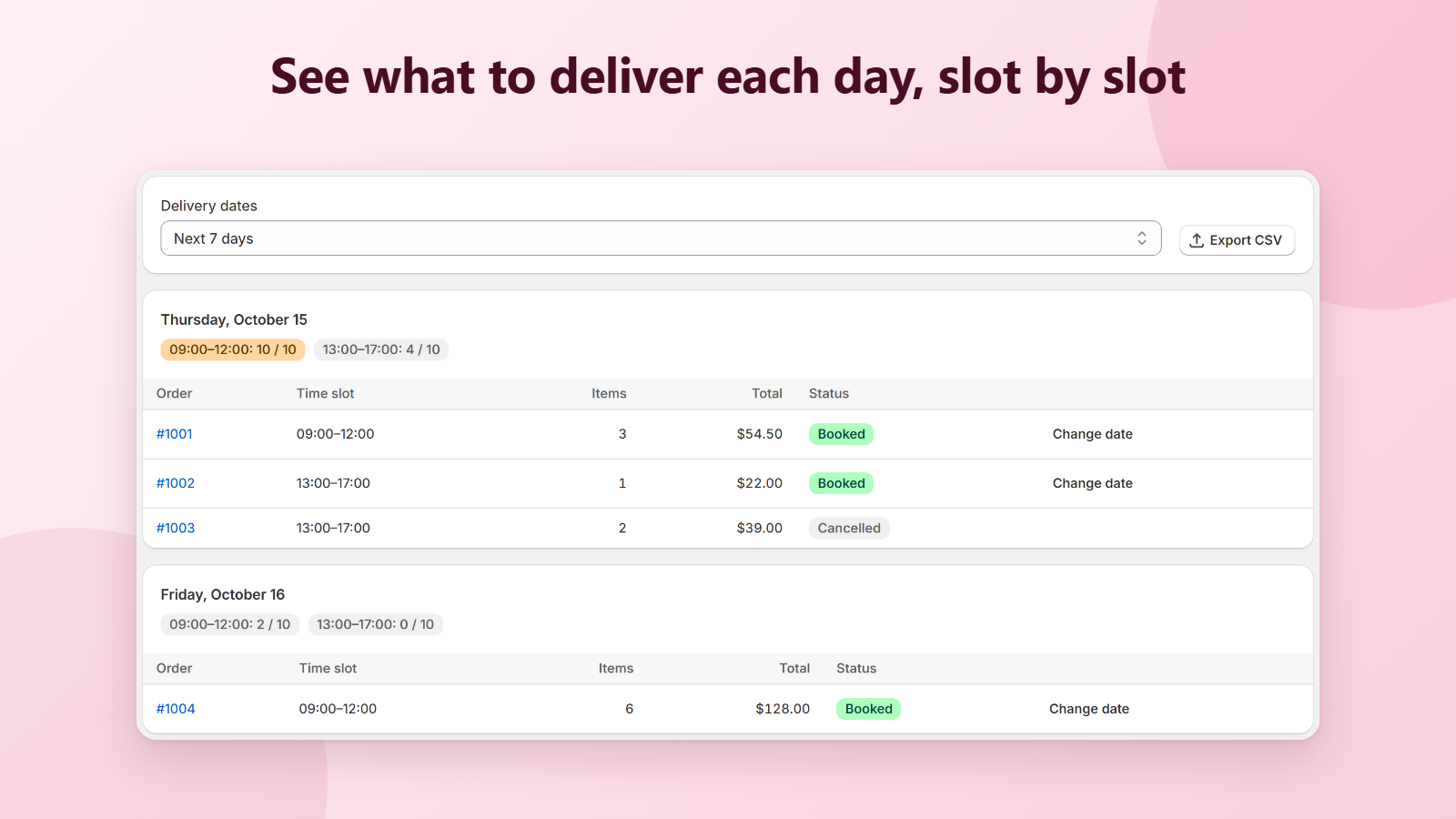
Orders by delivery day
See what to deliver each day and how full each slot is. Change a date, export a CSV, and filter orders in Shopify with the delivery:YYYY-MM-DD tag.
Your words, your buyers' languages
Change the picker heading, labels and checkout messages, and translate them for the languages your store sells in.
Checked again at checkout
A Shopify Function checks the date at checkout, so a date that passed its cutoff or a slot that just filled up can't be ordered.
See it in action
Live in three steps
- 1
Install Slotly
One click from the Shopify App Store. No credit card needed.
- 2
Turn on the picker
On the Home page, click Open editor and save the Slotly app embed in your theme.
- 3
Set your schedule
Pick your delivery days, cutoff and time slots, set Status to Active and save. Buyers see the picker in the cart right away.
Free during launch
Every feature is free while Slotly is in its launch period, with unlimited orders and time slots. No monthly fee, no credit card.
Questions
Does it work on my Shopify plan?
Yes. The picker is a theme app extension and the checkout check is a Shopify Function, which work on every Shopify plan. You don't need Shopify Plus.
Where does the picker show?
On the cart page and in the cart drawer, above the Check out button. It works out of the box on popular themes like Dawn. On the cart page you can place it yourself with the Slotly cart picker block. If it doesn't show in your cart drawer, email us and we'll place it for your theme.
Can buyers skip the date with Buy it now or Shop Pay?
If you require a date, no: checkout asks the buyer to choose a date in the cart first, for Buy it now and express checkouts too. If the date is optional, the order goes through and waits under Needs a delivery date on the Orders page.
Which time zone is used for the cutoff?
Your store's time zone from Shopify settings, not the buyer's. A 14:00 cutoff means 14:00 where your store is.
Where do I see the delivery date on an order?
Under Additional details on the order page (Delivery Date and Time Slot), as the tag delivery:YYYY-MM-DD, and on Slotly's Orders page. The Home page has a snippet to add the date to your order confirmation email.
Shopify shows a different delivery date on the order. Why?
Shopify can show its own delivery estimate, based on your shipping settings. It doesn't come from Slotly. The Home page shows how to turn it off; the buyer's chosen date is the one under Additional details.
Does Slotly slow down my store?
No. The picker is a small script that loads with your theme and reads your schedule from your store, and the checkout check runs inside Shopify.
What happens if I uninstall?
The picker disappears and checkout no longer checks the delivery date right away. Dates already on your orders stay there. Your Slotly data is deleted 48 hours after uninstall, as Shopify requires.
How do I get help?
Email [email protected]. We usually reply within one business day.
More in the help center.